
You bought what looked like a killer deal on a new laptop, felt great about it, and then saw the same model listed $80 cheaper on a different site three days later. That stings. Skilled deal hunters don't rely on luck or gut feeling. They follow a repeatable process backed by price data, timing knowledge, and the right tools. This guide skips the hype and walks you through exactly what works in 2026 so you stop overpaying and start winning on every tech purchase you make.
Table of Contents
- What you need to start deal finding
- Step-by-step process for finding the best tech deals
- Avoiding common pitfalls and deal myths
- Verifying, stacking and maximizing your final savings
- Why most shoppers overspend (and how to win on every tech purchase)
- Supercharge your deal finding with Deal Finder Pro
- Frequently asked questions
Key Takeaways
| Point | Details |
|---|---|
| Build your toolkit | Start with the right apps, browser extensions, and deal forums to streamline your tech shopping. |
| Follow proven steps | A systematic approach—shopping list, timing research, price comparisons—drives the best outcomes. |
| Trust price history | Always confirm a deal’s legitimacy by checking recent price history, not just percent-off claims. |
| Stack discounts carefully | Maximize savings by sequencing coupons, cashback, and price matching after calculating total cost. |
What you need to start deal finding
Before you start hunting, you need the right foundation. Jumping straight into searching without a system is how most shoppers end up paying more than they should. Think of this stage as loading your toolkit before a job.
Essential tools every deal hunter needs:
- Price comparison platforms: Sites that search multiple retailers at once so you can see the full price landscape instantly
- Browser extensions: Tools like Honey or Capital One Shopping that automatically apply coupons and flag price drops at checkout
- Deal forums and communities: Places like Slickdeals where real shoppers post verified flash sales on electronics daily
- Price history trackers: Tools like CamelCamelCamel for Amazon products, which show you a product's full pricing timeline
- Cashback portals: Platforms like Rakuten that pay you a percentage back on purchases made through their tracked links
Setting up accounts on major retailers including Amazon, Walmart, eBay, and AliExpress matters more than most shoppers realize. Logged-in users often see personalized prices, get early access to sales, and can use saved payment methods to act fast when a flash deal drops. Speed matters in deal hunting.
You also need to define your shopping list before you start. Vague browsing leads to impulse buys. Write down the exact product you want, the features you need, and your maximum budget. This is also where the concept of TCO (Total Cost of Ownership) becomes critical. TCO means the full cost of owning a product, not just the sticker price. It includes shipping fees, taxes, extended warranty costs, and even accessories you will need to buy separately. A $300 laptop deal that requires a $40 adapter and $15 shipping is actually a $355 purchase.
NerdWallet outlines 13 structured ways to shop smarter online, including timing specifics like targeting Cyber Monday for electronics, which consistently delivers some of the deepest discounts of the year.
| Tool type | Example | Primary benefit |
|---|---|---|
| Price comparison | Deal Finder Pro, Google Shopping | See all prices at once |
| Browser extension | Honey, Capital One Shopping | Auto-apply coupons |
| Price history tracker | CamelCamelCamel, Keepa | Verify deal legitimacy |
| Cashback portal | Rakuten, TopCashback | Earn money back on purchases |
| Deal community | Slickdeals, Reddit r/deals | Real-time flash sale alerts |
Pro Tip: Create a separate email address just for deal alerts and retailer newsletters. Your main inbox stays clean, and you can check the deal inbox when you are ready to buy without being manipulated by urgency-based marketing at random times.
Starting the deal finder process with a complete toolkit means you will never have to scramble or make rushed decisions based on incomplete information.
Step-by-step process for finding the best tech deals
With your tools ready and your budget defined, here is the exact sequence that separates disciplined deal hunters from everyone else. Each step builds on the last, and skipping any one of them is where mistakes happen.
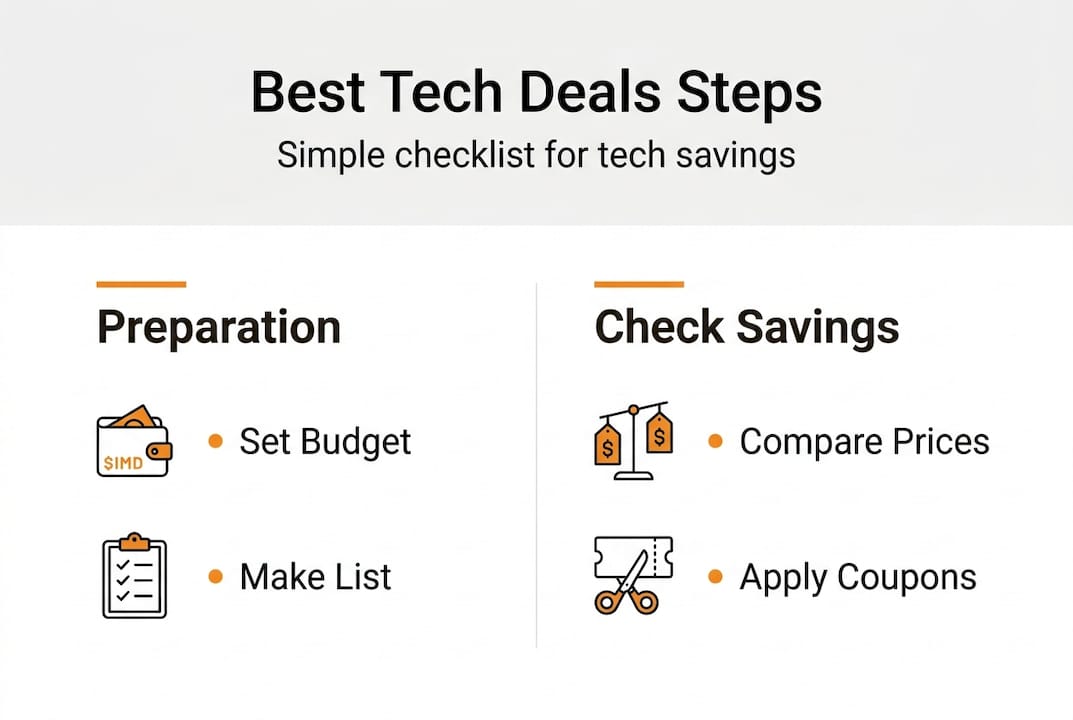
1. Set your budget and finalize your shopping list Write down the exact product, the minimum specs you need, and your hard budget ceiling. This stops scope creep, where you convince yourself to upgrade mid-search and end up spending 40% more than planned.

2. Research the best timing for your purchase Electronics follow predictable sale cycles. Black Friday and Cyber Monday deliver the biggest discounts on TVs, laptops, and headphones. January sees clearance pricing on last-generation models. Tax season brings promotions on computers and tablets. If your purchase is not urgent, waiting for the right window can save you 20 to 35 percent.
3. Compare prices across multiple retailers simultaneously Never check just one site. Use Google Shopping as a quick overview, then cross-reference with a dedicated aggregator. The detailed deal finding walkthrough at Deal Finder Pro searches Amazon, eBay, Walmart, AliExpress, and ShareASale at the same time, which cuts research time dramatically.
4. Apply coupons and verify price match policies Most major retailers including Best Buy, Walmart, and Target offer price match guarantees. If you find a lower price elsewhere, you can often get that price matched without leaving your preferred retailer. Stack a coupon on top of a price match and you have compounded your savings without extra effort.
5. Use browser extensions for automation Let technology do the heavy lifting. Extensions scan for active coupon codes and apply them automatically at checkout. Some also notify you when a product you viewed drops in price, so you can act without constant manual checking.
6. Calculate the total cost including shipping and taxes This is where many shoppers make their biggest mistake. A product listed at $199 with $20 shipping and $18 in taxes is a $237 purchase. Always run the full TCO calculation before declaring a winner.
7. Check price history to confirm the deal is real This is the final and most important verification step. NerdWallet's evidence-based deal steps specifically highlight checking price history as essential for confirming deal legitimacy before committing to a purchase.
| Step | Action | Time needed |
|---|---|---|
| 1. Budget setting | Define product and max spend | 5 minutes |
| 2. Timing research | Check sale calendar | 10 minutes |
| 3. Price comparison | Search multiple retailers | 10 minutes |
| 4. Coupons and price match | Apply discounts and request match | 5 minutes |
| 5. Browser extension check | Auto-scan for codes | 2 minutes |
| 6. TCO calculation | Add shipping, taxes, extras | 5 minutes |
| 7. Price history check | Verify deal against history | 5 minutes |
Pro Tip: Set up deal community alerts for specific products on Slickdeals or Reddit. When a flash sale hits, you will get a notification before the deal sells out, giving you a real advantage over shoppers who discover it hours later.
Avoiding common pitfalls and deal myths
Knowing the steps is only half the battle. The other half is recognizing the traps that retailers and marketers set for shoppers who are not paying close attention. These are not rare edge cases. They happen constantly across every major platform.
The biggest deal myths to stop believing:
- "50% off" always means a real discount: Retailers frequently inflate the "original" price before a sale to make the discount look bigger than it is. A product listed at $200 marked down from $400 may have never actually sold at $400.
- Flash sale urgency is always real: Countdown timers and "only 3 left" warnings are often psychological triggers, not accurate inventory counts. They create pressure to skip the verification steps.
- The lowest sticker price is the best deal: Without TCO analysis, a lower listed price can end up costing more once you factor in shipping, accessories, and warranty gaps.
- Sale seasons are the only time to find deals: Off-season deals on electronics, especially on previous-generation models, often beat Black Friday pricing by a significant margin.
"Prioritize price history over percentage off to avoid inflated deals. Stack savings like coupons and cashback only after completing your full TCO calculation. Communities like Slickdeals and RedFlagDeals are especially strong for electronics flash sales." — NerdWallet shopping research
Price history tracking is the single most underused tool in deal hunting. When you see a product's full pricing timeline, a "limited time" discount often reveals itself as the product's normal price or even a slight markup from its lowest historical point. Seeing that a $350 headphone has sold for $280 three times in the past six months tells you exactly what to wait for.
Skipping the TCO calculation is equally dangerous. Shoppers who focus only on the listed price routinely underestimate their actual spend by 15 to 25 percent. That gap adds up fast across multiple purchases in a year.
Pro Tip: Before buying anything over $100, run a quick search for proven tech price tips and check the product's 90-day price history. If the current price is not near the historical low, it is worth waiting unless you have a genuine time-sensitive need.
Verifying, stacking and maximizing your final savings
Once you have done your research and identified a genuinely good price, the final phase is about confirming that price is real and then compounding every available discount before you check out. This is where disciplined shoppers capture savings that casual buyers leave on the table.
The verification and stacking sequence:
-
Confirm price history: Pull up the product's price history using a tracker like CamelCamelCamel or Keepa. Verify that the current price is at or near the historical low. If it is not, note the lowest price you have seen and set a price alert for that target.
-
Calculate full TCO: Add the listed price, shipping cost, applicable taxes, and any required accessories. This is your true baseline cost. Only compare deals on an equal TCO basis.
-
Apply the best available coupon: Check the retailer's own coupon page, your browser extension's suggestions, and deal forums for active promo codes. Use only one coupon if they cannot be combined, and choose the one with the highest dollar value, not the highest percentage.
-
Activate a cashback portal: Before clicking through to the retailer, activate a cashback offer through a portal like Rakuten. Cashback rates on electronics typically range from 1 to 8 percent depending on the retailer and promotion timing.
-
Request a price match if applicable: If a competing retailer has a lower TCO, request a price match from your preferred retailer. Many will honor it, and you keep the benefits of shopping with a trusted seller.
-
Use a rewards credit card: Pay with a card that earns points or cashback on purchases. This adds another 1 to 5 percent in value on top of everything else you have already stacked.
Practical example: Imagine you are buying a $400 pair of noise-canceling headphones. You find them on sale for $320. After checking price history, you confirm $320 is the lowest they have ever been listed. Shipping is free. You apply a 10% coupon code to bring the price to $288. You activate 5% cashback through a portal, saving another $14.40. You pay with a 2% cashback card, earning $5.76 back. Your final effective price is $267.84 on a $400 product. That is a 33% total saving achieved through process, not luck.
NerdWallet confirms that the key to maximizing savings is to stack coupons and cashback only after completing your TCO calculation, which ensures you are stacking on a verified deal rather than a manufactured one. You can verify tech deal savings before committing using a multi-retailer comparison to make sure no better option exists elsewhere.
Why most shoppers overspend (and how to win on every tech purchase)
Here is the uncomfortable truth most deal guides will not say out loud: the majority of "deals" you see are designed by marketing teams, not pricing algorithms. Retailers understand shopper psychology better than most shoppers understand themselves. The urgency, the crossed-out prices, the percentage badges. All of it is engineered to make you act before you think.
The shoppers who consistently win are not smarter. They are slower. They have a process and they trust it even when a countdown timer is screaming at them to buy now. That discipline is the actual skill, and it is learnable.
What separates a good deal hunter from an average one is not access to secret tools. It is the willingness to walk away from a purchase that does not meet verified criteria. Most people cannot do that because they have already emotionally committed to owning the product before the research is done. The research becomes justification, not evaluation.
The mindset shift that changes everything is simple: treat every deal as guilty until proven innocent. Assume the discount is fake until price history proves otherwise. Assume the TCO is higher than listed until you calculate it yourself. That skepticism, applied consistently through smart, process-driven deal finding, is what turns occasional savings into a reliable system.
Supercharge your deal finding with Deal Finder Pro
You now have the full framework: the right tools, the step-by-step process, the pitfalls to avoid, and the stacking strategy to maximize every purchase. The next logical step is putting all of it into practice without spending hours on manual research.

Deal Finder Pro brings the entire process together in one place. Instead of checking Amazon, eBay, Walmart, AliExpress, and ShareASale one by one, you search all of them simultaneously and see the most competitive prices for any tech product in seconds. Whether you are hunting for headphones, laptops, smartphones, or the latest gadgets, Deal Finder Pro gives you the cross-platform view you need to make confident, data-backed buying decisions fast. Start your next search there and see the difference a real comparison tool makes.
Frequently asked questions
How do I know if a tech deal is actually good?
Always check price history for the product and compare the total cost, including shipping and taxes, to recent sale prices before buying. If the current price is not near the historical low, it is likely not a genuine deal.
What tools do professional deal hunters use?
Top tools include price comparison websites, browser extensions, and deal forums for alerts on electronics sales. Browser extensions and communities like Slickdeals are especially effective for catching flash sales on popular tech products.
Is it better to buy on Black Friday or wait for other sales?
Major electronics sales happen on Black Friday and Cyber Monday, but checking price history can reveal even better off-season deals, particularly on previous-generation models that retailers need to clear from inventory.
What does TCO mean in deal finding?
TCO stands for Total Cost of Ownership, which includes the product price, shipping, taxes, and any additional fees or required accessories you will need to make the product fully functional.